


Rapid Cloud File Manager
3.0182.00 Reviews
App Specs
- Version
- 0.9.9.03
- Updated On
- License
- Free
- Downloads
- 500,000+
- Developer
- Rapid apps
- Categories
- Communication
- Platform
- Android
Screenshots
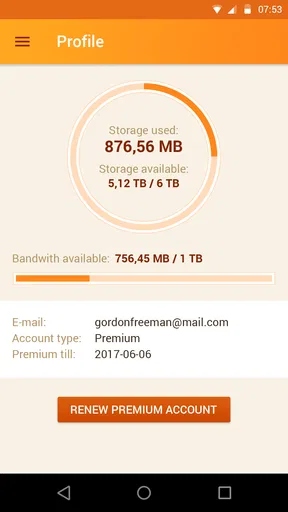
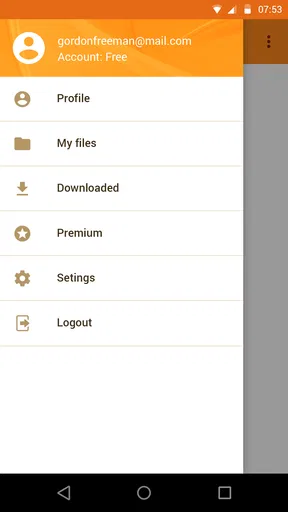
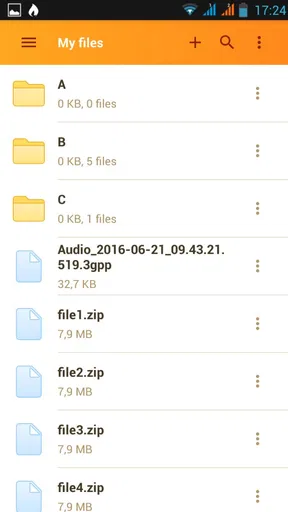
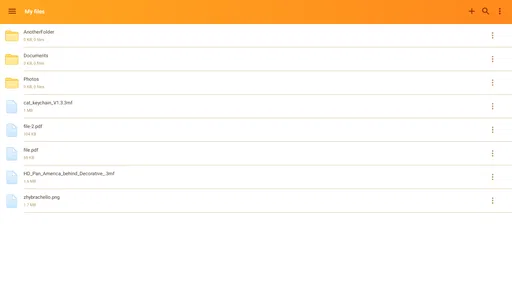
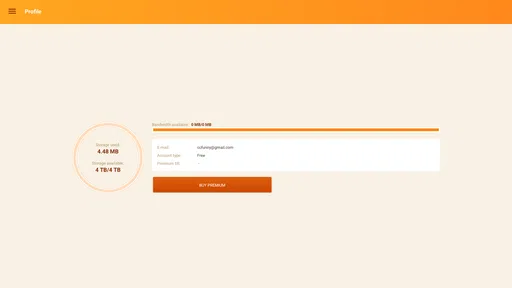
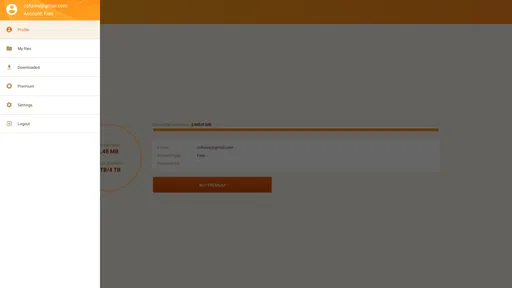
 Analysis by AppCompare
If your routine already revolves around Rapidgator.net, a phone can make file access feel less tied to a desk. I find that useful for a specific reason: it lets me handle a download when I have a spare moment, rather than turning every file task into a separate session on a computer. The important distinction is that this is a focused companion for managing files on that service, not a general-purpose communication app or an all-in-one cloud organizer. Rapidgator.net File Manager is most appealing when the service is already part of how you move or retrieve files.
A focused tool for files you need on the move
That narrow purpose shapes who I would recommend it to. If I have a file waiting in my Rapidgator.net account and want to download it to an Android device, a dedicated app can save the extra steps of opening a browser, finding the right page, and getting back to the file later. It is a practical fit for someone who receives or keeps files through the service and values being able to start that task away from a computer.
It is less compelling if I mostly want to browse folders stored locally, move files among several unrelated cloud providers, or share documents in a conversation. For those needs, the file manager already built into a phone or a broader cloud-storage app may be a more natural choice. A specialist tool can reduce friction within one service, but it also gives me less reason to install it if my files are scattered across different platforms.
Where it fits in a busy day
Picture a familiar situation: I am away from home, remember that a file I need is in my Rapidgator.net account, and have a few minutes before moving on. The useful workflow is to open the app, locate the item, and download it on the phone rather than waiting until I can reach a computer. That can make file access fit around an existing day instead of demanding a dedicated block of attention. It is a small convenience, but a meaningful one when the account is already where I keep the file.
I would treat the phone as a convenient access point, not automatically as the best place to store every large download. Before starting, I would check that I have enough device space and that downloading now makes sense for my connection and surroundings. This simple pause is more useful than beginning a transfer impulsively and then having to manage a crowded phone or an inconvenient interruption. The app’s central value is access; sensible storage habits still matter.
Downloads, attention, and a sensible routine
A download can change the rhythm of a task: instead of checking the account repeatedly, I can start the work when it suits me and return to something else. I would avoid treating that as proof that every transfer will be instant or effortless. Network conditions and the size of the file affect how comfortable a mobile download feels, so I prefer to begin one when I can leave the phone undisturbed rather than when I need it for something else immediately.
One useful habit is to decide before downloading whether I need the file on the phone itself or simply need to retrieve it later on another device. That distinction can prevent unnecessary local clutter and makes a dedicated service app easier to justify. If I do need a mobile copy, I can make that choice deliberately; if not, I can wait until I am at the device where I will actually use it. That is a small but practical way to keep file management from taking over a spare moment.
Worth Reading Before You Choose

EA SPORTS FC Mobile 26 Is a Bigger Football Game, but It Takes Time

Flipboard Shows What News Apps Must Do Beyond the Feed

Switching to Android Auto Means Rethinking Your Driving Routine

Google Calendar Makes a Crowded Week Easier to Manage

Ludo King Makes the Most of the Minutes Between Plans

Baby Panda World Brings Quick Play to Modern Phones, but Its Game Library Feels Busy
How it compares with other ways to get a file
Compared with using a mobile browser, a dedicated app has a straightforward appeal: it is built around the Rapidgator.net task rather than being one more open browser tab among many. Compared with a phone’s built-in file manager, though, its role is different. A local file manager is usually the more relevant tool after a file is already on the device; this app is about working with files through the Rapidgator.net service and downloading them to Android.
That distinction also helps me decide what not to expect. I would not choose it as a replacement for a service that synchronizes folders across several cloud accounts, nor as a messaging app for sending files directly to friends. If my main need is sharing, collaboration, or keeping the same documents current across a team, a broader storage or communication tool may suit me better. The dedicated approach makes sense when the service itself is the center of the task.
What to consider before installing
On Android, the app is free to install, while in-app purchases range from $8.99 to $239.99 per item. I would look closely at any purchase prompt and decide whether its terms match what I actually need before paying. The free entry point makes it possible to assess whether the app fits my routine, but the range of optional purchases is a reason to be deliberate rather than assuming every useful capability is included at no cost.
Rapidgator.net File Manager comes from RapidG apps. It is a communication-category app, although its practical job is file management tied to Rapidgator.net rather than conversation in the usual sense. The app is rated for Everyone, has an average rating of 3.0 from around 2.9 thousand ratings, and has passed 500 thousand installs. Those figures suggest it has found a real audience, while the modest average makes me approach it as a tool to judge against my own needs rather than a guaranteed fit.
The Android release dates to September 13, 2016, and the current version is 0.9.9.01, with Android 5.0 as the minimum operating-system requirement. Those details are useful when deciding whether an older phone can run it, but compatibility is only one part of the decision: my reason for installing it would still be whether I regularly need Rapidgator.net files on Android. If that need is occasional, a browser may be enough; if it comes up often, a dedicated app may make the routine more direct.
Getting Started with Ease
First off, let's talk about the setup. Installing the Rapidgator.net File Manager is as easy as pie. You can find it on both Android and iOS stores, and it doesn’t hog much space on your device. Once installed, you’re greeted with a clean user interface that’s intuitive even if you’re not exactly tech-savvy. The layout is simple, with all the features easily accessible from the home screen, which I absolutely love. No one wants to fumble around trying to find basic functions, right?
Features That Stand Out
Now, let's get into the nitty-gritty of the features. One of the first things I noticed was the cloud storage integration. You can sync your files effortlessly with various cloud services. This means you can access your files anywhere, anytime, without needing to remember where you saved them last. And the transfer speeds? Lightning fast! I moved a batch of photos and videos in no time, and it felt like a breeze.
Another cool feature is the file compression and decompression. If you’re like me and constantly running out of space, this is a lifesaver. You can compress files directly within the app, saving precious storage on your device. Plus, the app supports a wide range of formats, so you’re unlikely to run into any issues regardless of the files you’re working with.
Security and Privacy
In this digital age, security and privacy are non-negotiable, and the developers of Rapidgator.net File Manager have clearly taken this to heart. The app offers robust encryption for your files, ensuring that your data is safe from prying eyes. You can also set up a passcode or use biometric authentication for added security, which is a nice touch.
Day-to-Day Use
Let’s talk about how this app fits into daily life. I’ve been using it for a couple of weeks now, and it’s become an indispensable tool in my digital arsenal. The automatic backup feature is a standout. I’ve had moments where I accidentally deleted important files, and this feature saved my bacon more than once. It’s also quite handy to have all my downloaded files organized neatly without any extra effort on my part.
The app also supports multiple languages, making it user-friendly for a global audience. Whether you’re fluent in English, Spanish, or any other language, you’re covered. The developers have clearly put thought into making the app accessible to everyone, which is commendable.
Final Thoughts
So, should you download the Rapidgator.net File Manager? If you’re looking for a reliable, secure, and user-friendly file management app, I’d say go for it. It’s packed with features that genuinely make life easier, especially if you’re juggling multiple devices or constantly on the go. While there are many file managers out there, few offer the same level of functionality and convenience in one neat package.
In conclusion, whether you're a busy professional, a student, or just someone who likes keeping things organized, this app is worth checking out. It combines functionality with simplicity, ensuring your files are always at your fingertips. Give it a shot, and you might just find it becoming your go-to file manager!
Pros
- Fast file upload and download speeds.
- User-friendly interface with intuitive navigation.
- Supports multiple file formats seamlessly.
- Robust security features for file protection.
- Offers cloud storage integration options.
Cons
- Requires a premium account for full features.
- Limited free storage space available.
- Occasional ads in the free version.
- No offline access for downloaded files.
- Customer support can be slow to respond.
FAQs for Rapid Cloud File Manager
What is Rapidgator.net File Manager used for?
Rapidgator.net File Manager is designed to help users manage and organize their files stored on the Rapidgator platform. It offers features such as uploading, downloading, and sharing files with ease. This app is especially useful for those who frequently use Rapidgator for cloud storage and need a streamlined way to access their files on-the-go.
Is the Rapidgator.net File Manager app free to use?
The app is free to download, but it may require a Rapidgator premium account for accessing advanced features like faster download speeds or larger storage capacity. While basic functionalities might be available for free users, premium subscriptions offer enhanced capabilities and a more seamless experience.
How secure is the Rapidgator.net File Manager app?
Rapidgator.net File Manager employs several security measures to protect user data, including encryption protocols for file transfers. However, users should ensure their passwords are strong and unique, and always log out after use, especially on shared devices, to maintain the security of their files and personal information.
Can I use Rapidgator.net File Manager offline?
Rapidgator.net File Manager primarily requires an internet connection to access the cloud-based storage and synchronize data. However, some features might allow for offline access to files that have already been downloaded to your device. To maximize functionality, it’s best used when connected to the internet.
What devices are compatible with Rapidgator.net File Manager?
The app is compatible with both Android and iOS devices, offering a seamless experience across smartphones and tablets. Users should ensure their device meets the minimum system requirements specified on the app store for optimal performance. Regular updates help maintain compatibility with the latest operating systems.


